
Official documentation: Agencia Tributaria Modelo 100.
Deadline for filing tax returns and paying taxes
In general, tax returns in Spain must be submitted and paid between April 3 and July 1.
Set-off rules for closing positions
General issues
Losses can be off-set against other income in the annual income tax declaration.
FIFO rule
The buying/selling, transitions occurs according to FIFO rule (the first purchased security is considered the first sold).
Forex operations
According to clarification V2422-20, it is not necessary to declare capital gains from either shares or currencies until the actual moment of their sale.
Dividend profit compensation
Losses from the sale of securities in the stock market can be offset against interest from accounts, dividends and bond coupons up to 25% of income.
Two month rule
This rule prevents the loss of a security from being offset by capital gains from the same security if an investor purchases it within two months before or after the sale that caused the property loss.
However, after the subsequent sale of the remaining lots of these securities, the previous loss not taken into account under this rule can be used for offset.
The waiting rule will be 12 months instead of 2 months if you are selling and repurchasing shares that are not listed or listed on non-EU regulated/assimilated markets. The following markets are EU assimilated and therefore the 2 month rule applies:
- Australia (ASX)
- Hong Kong (SEHK)
- USA (CBOE, NYSE, Nasdaq)
Examples
The following are a number of examples that can be used for a free trial report generation. These examples are descriptions of transactions in a universal format (details), reflecting examples of requests to the General Tax Administration. In the table below, first there are links to the request page, then there is a link to the file with the initial transaction data, then there is the result of processing this data by the service. You can upload any of the following files to the system to view the result:
List of cells to fill out Form 100 for investment income:
- Cell [0328]. Total amount of securities transactions.
- Cell [1626]. Derivatives (Options, Futures, CFD, Forex).
- Cell [1631]. The cost of buying and selling derivatives.
- Cell [0029]. Dividends on which tax is withheld in Spain.
- Cell [0588]. Dividends subject to double taxation.
- Cell [1802] and [1803]. Sold and purchased cryptocurrency.
- Cell [1804] – [1806]. Value of buying and selling cryptocurrency.
Procedure for filing a tax return
There are several ways to complete and submit Form 100:
- Generation and submission of Form 100 in the form of ready-made XML
- Generating and testing results using an SES file
- Filling out the tax return yourself at the Agencia Tributaria using the data from the explanation note (from Excel and PDF)
I. Generation and submission of Form 100 in the form of ready-made XML
Algorithm for filing a tax return in electronic format based on the broker’s report(s).
1. Obtain a report from your broker, which will be used to generate your tax return.
Instructions for obtaining the required reports are provided in the relevant sections of the help:








2. Proceed with calculating taxes.
Go to the Tax Calculation section of this service.
Select the desired format for the source data and attach the corresponding report obtained in the previous step. After that, you can select the format for the result: the tax return can be generated in XML format, which will allow you to download it directly.
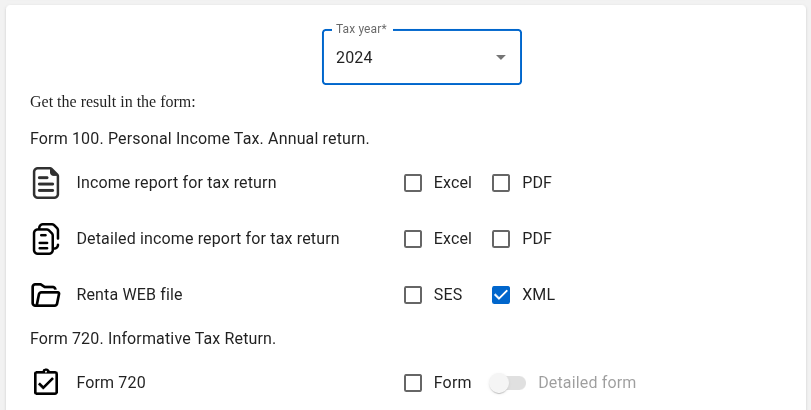
When selecting formats, there is no need to select all available formats at once. You can select only the format or formats that you really need. Payment for all formats marked with a blue check mark is made only once, regardless of which reports were selected. In the future, they can be generated as many times as you like in various combinations and with different settings for the same source report (reports) free of charge (more details).
3. Fill in your personal details (optional).
You can fill out your personal information either here, through the service, or use sample data and enter your real data directly on the tax system page.
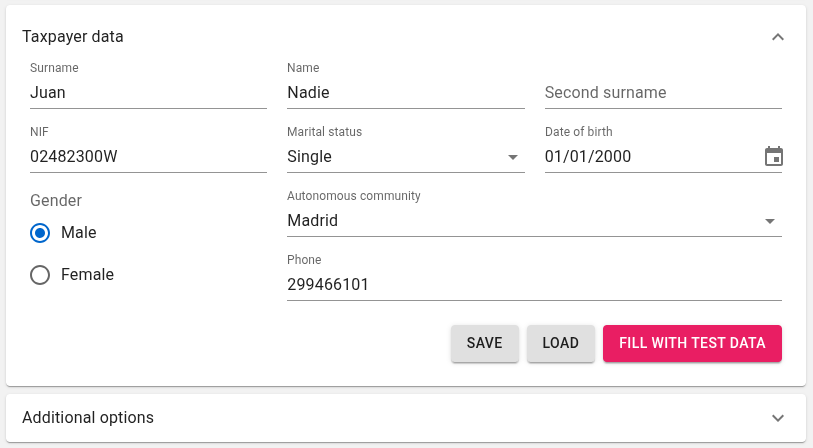
Click GENERATE REPORTS.
4. Download the resulting XML.
Go to the tax authority website Agencia Tributaria. A list of all actions is provided at the link Personal Income Tax procedures.
In the Filing using a file section, select Filing returns. Complete the identification procedure. Upload the XML file you received.
Also, don’t forget to check for other income not related to securities Modification of a declaration already submitted.
II. Generating and testing the result using the SES file
The SES format allows you to upload transaction data to the Open Web Rental Simulator, which allows you to estimate future tax amounts. Furthermore, there is a testing platform that allows you to open an SES file, make changes if necessary, and save it in XML format – Sede electrónica (Preproduccion).
III. Filling out the tax return yourself at the Agencia Tributaria
1. Obtain a report from your broker, which will be used to generate your tax return.
Instructions for obtaining the required reports are provided in the relevant sections of the help:
2. Start calculating your taxes.
Go to the Tax Calculation section of this service. Select the desired source data format and attach the corresponding report obtained in the previous step. You can then choose the output format: Excel and/or PDF.
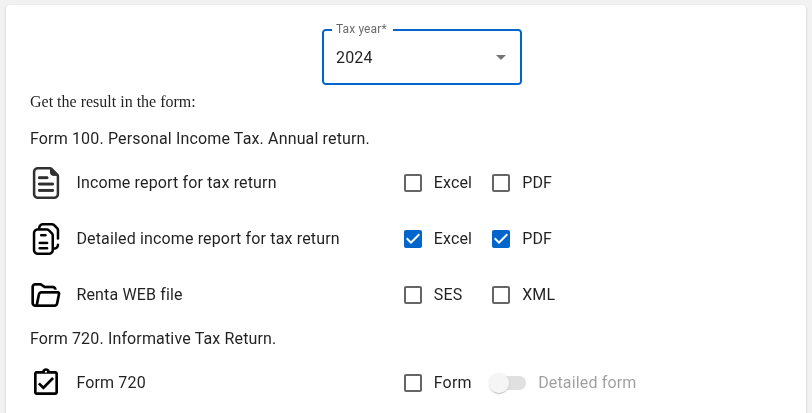
3. Fill in your personal details (optional).
You can fill out your personal information either here, through the service, or use sample data and enter your real data directly on the tax system page.
Click GENERATE REPORTS.
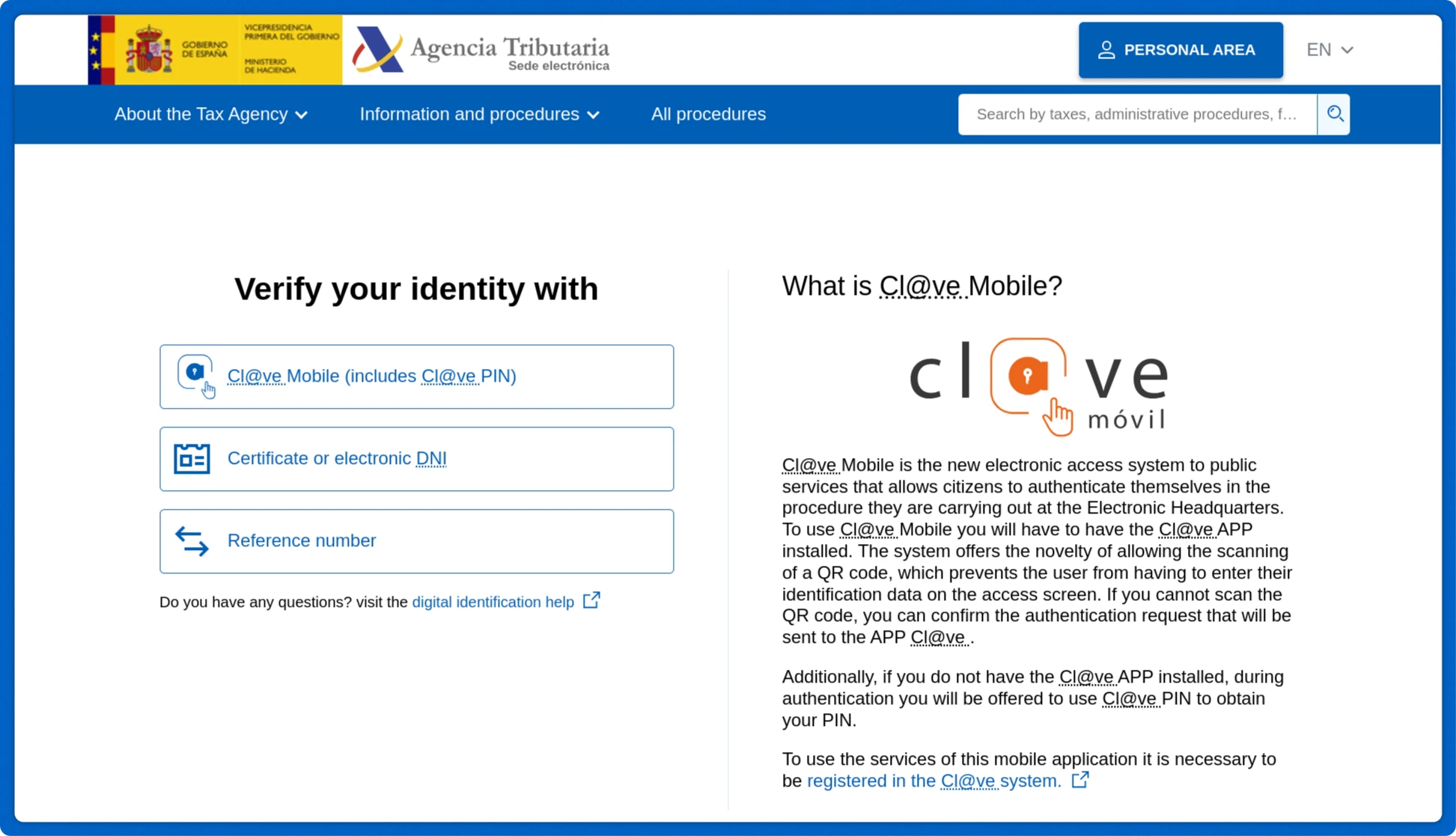
4. Visit the Agencia Tributaria Renta website.
Select Draft/declaration processing service (DIRECT Income and WEB Income). Complete the identification procedure.
Let’s take the following data as an example
5. Stocks
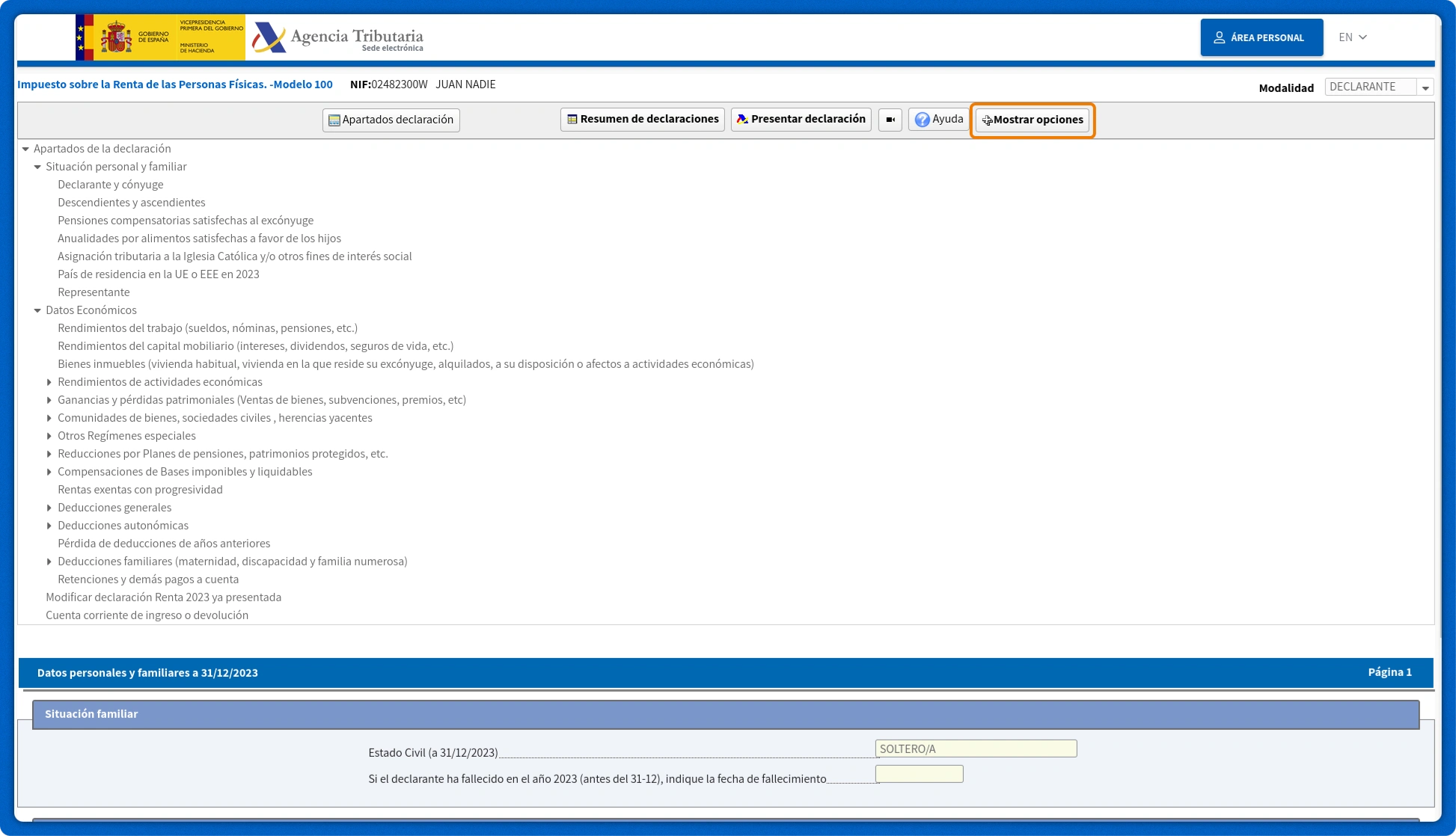
Click on the button Mostrar opciones
Click on the number 1 between the arrows.
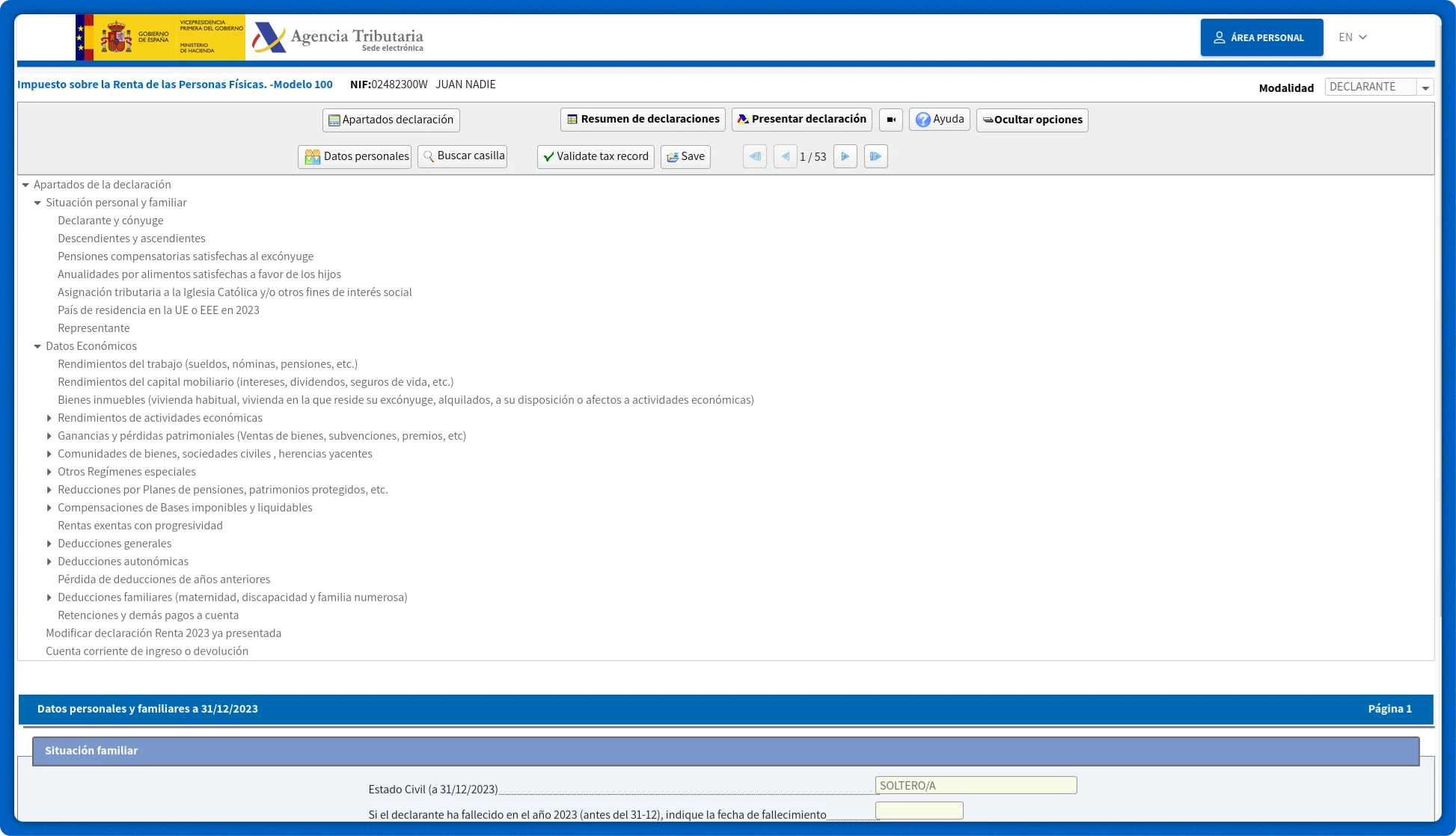
Go to the page 17 / 54
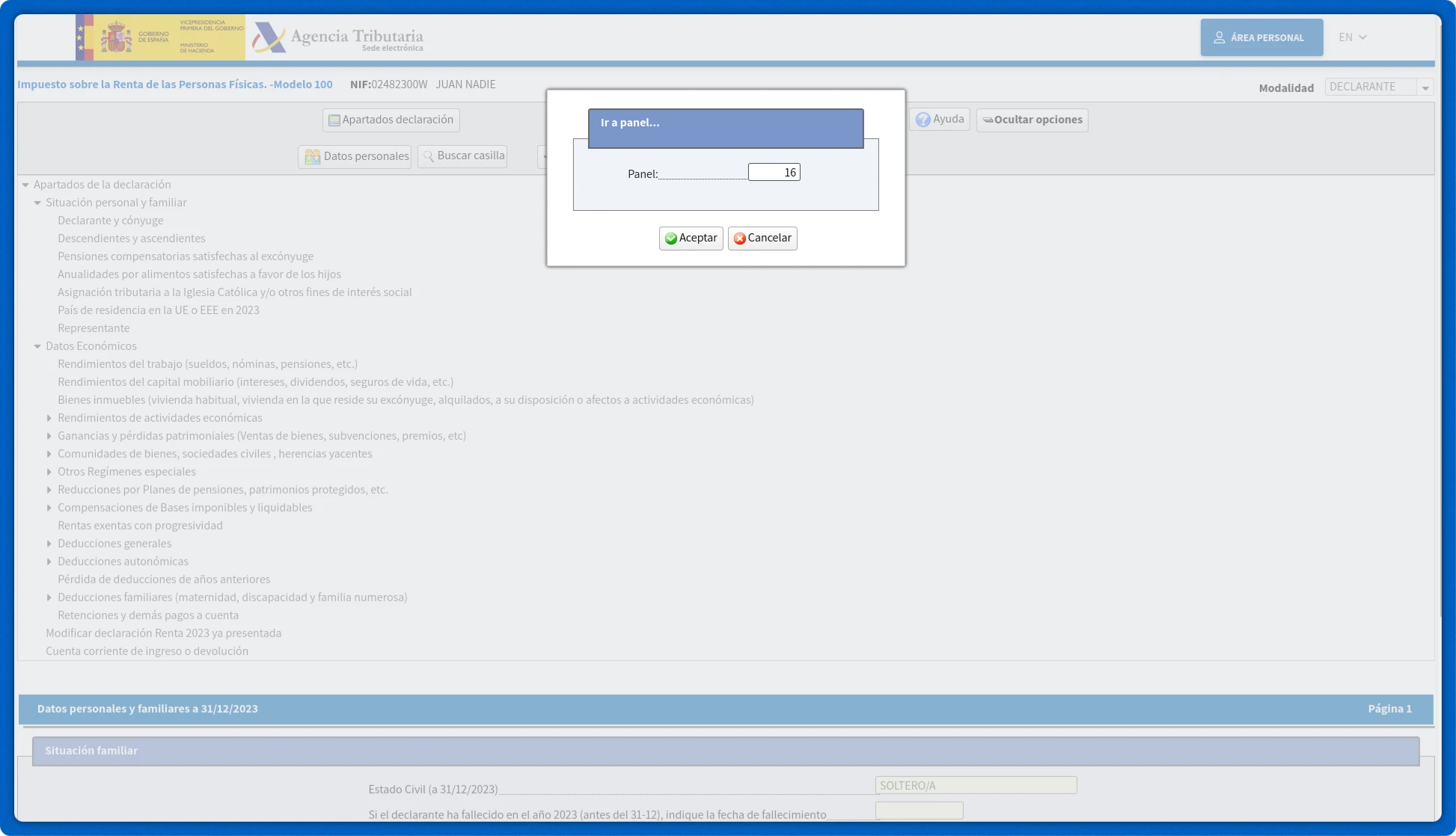
F2. Ganancias y pérdidas patrimoniales derivadas de la transmisión de elementos patrimoniales (a integrar en la base imponible del ahorro) (continuación)
Click on the pencil icon next to the cell [0328] Importe global de las transmisiones efectuadas en 2023
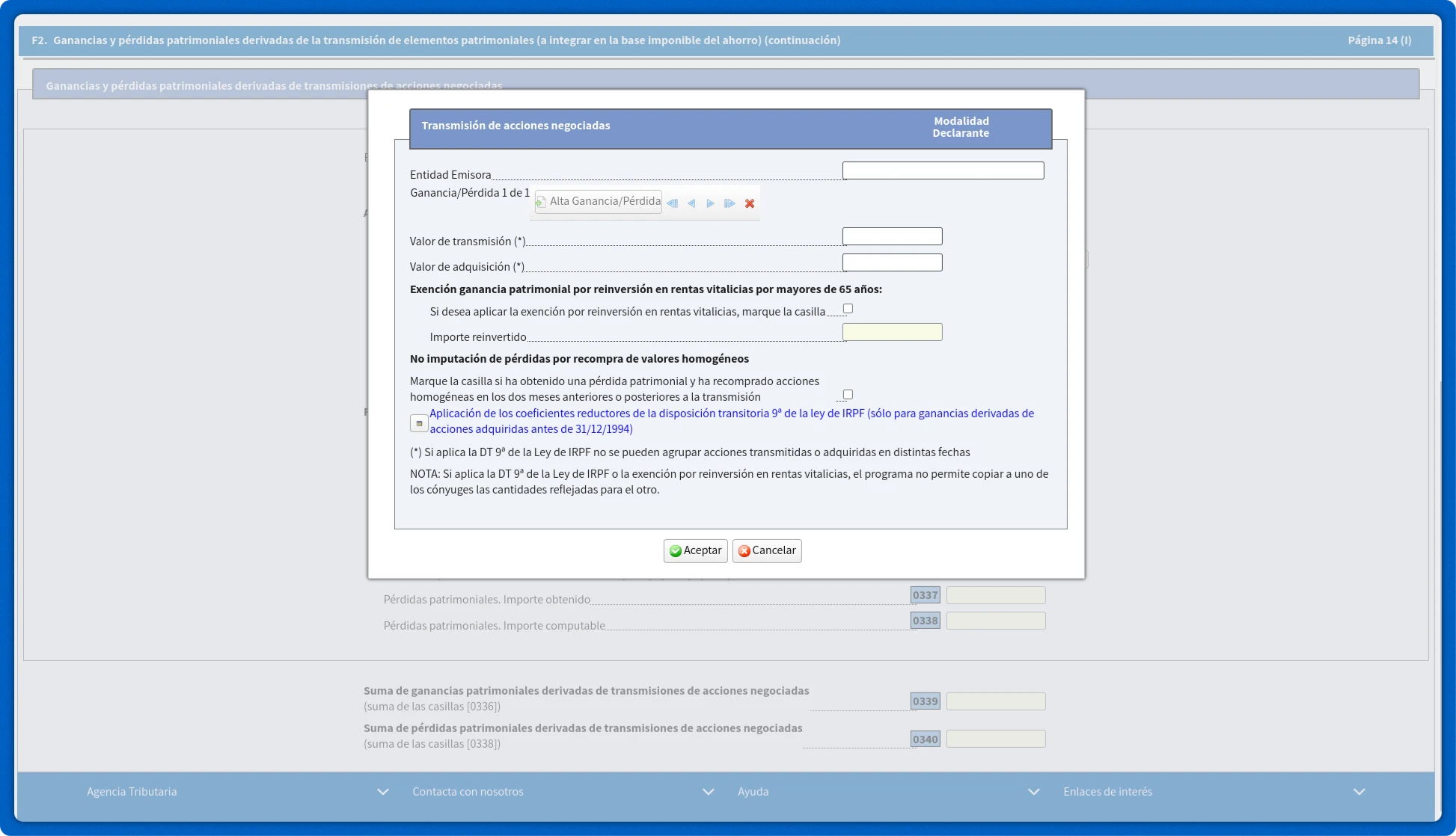
5.1 Imputed gains and losses on shares
The following fields must be filled in:
- Issuer – Entidad Emisora. As the issuer, when specifying general information on all transactions, you can enter the name of the broker (brokers).
- Selling price – Valor de transmisión
- Cost of acquisition – Valor de adquisición
- Non-recognition of losses from the repurchase of homogeneous securities - No imputación de pérdidas por recompra de valores homogéneos. Установите значение Marque la casilla si ha obtenido una pérdida patrimonial y ha recomprado acciones homogéneas en los dos meses anteriores o posteriores a la transmisión must be set to off when typing imputed profit or loss.
5.2 Expenses that cannot be imputed
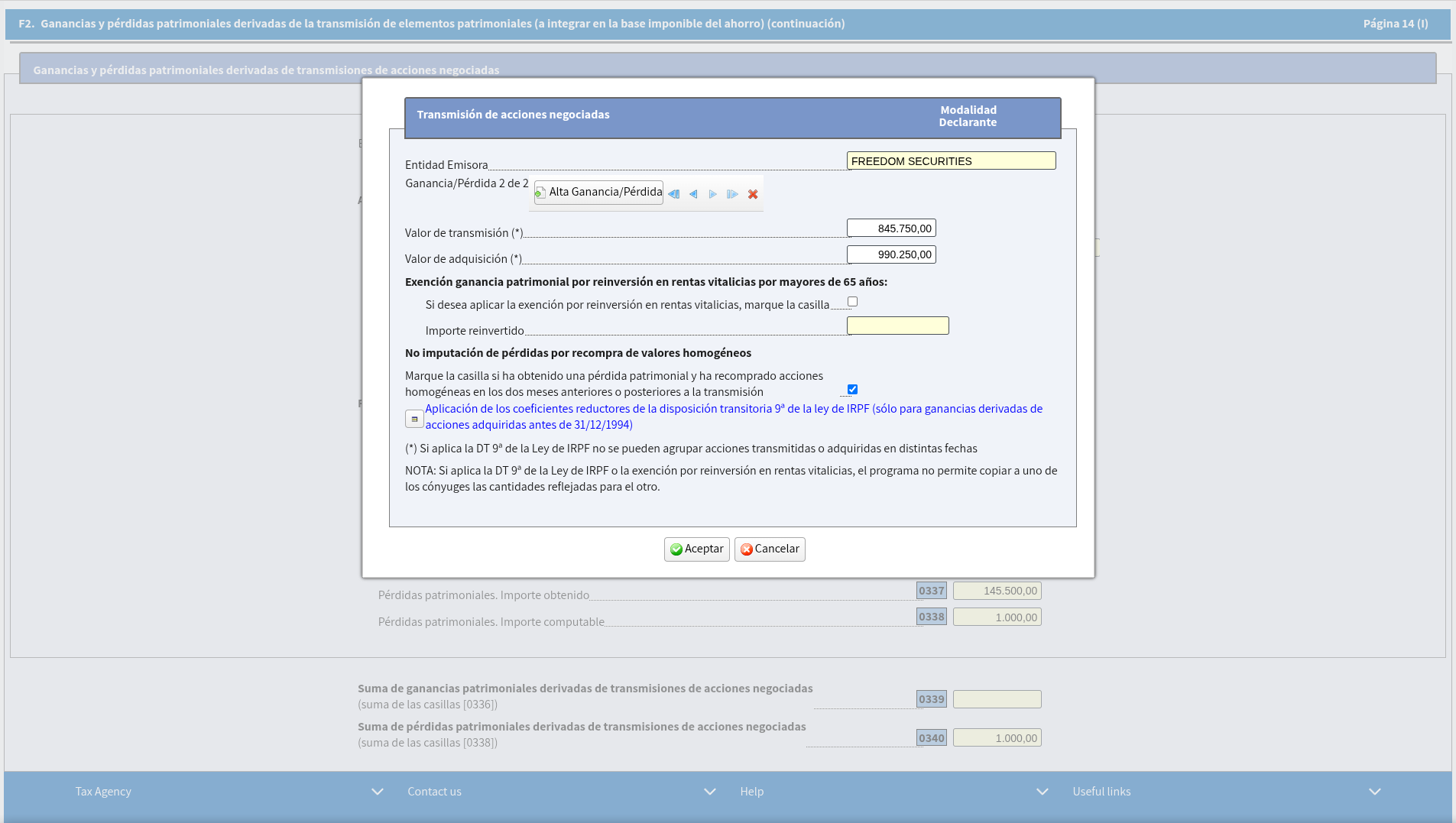
If there are also transactions for which losses can be attributed, to declare a loss that cannot be imputed, click More profits/losses – Alta Ganancia/Pérdida. Next, type in a similar manner:
- Issuer – Entidad Emisora. As the issuer, when specifying general information on all transactions, you can enter the name of the broker (brokers).
- Selling price – Valor de transmisión
- Cost of acquisition – Valor de adquisición
- Check the box if you incurred a loss and repurchased similar shares within two months before or after the transfer – Marque la casilla si ha obtenido una pérdida patrimonial y ha recomprado acciones homogéneas en los dos meses anteriores o posteriores a la transmisión
6. Derivatives (Options, Futures, CFDs, Forex)
Go to the page 21 / 54
F2. Ganancias y pérdidas patrimoniales derivadas de la transmisión de elementos patrimoniales (a integrar en la base imponible del ahorro) (continuación)
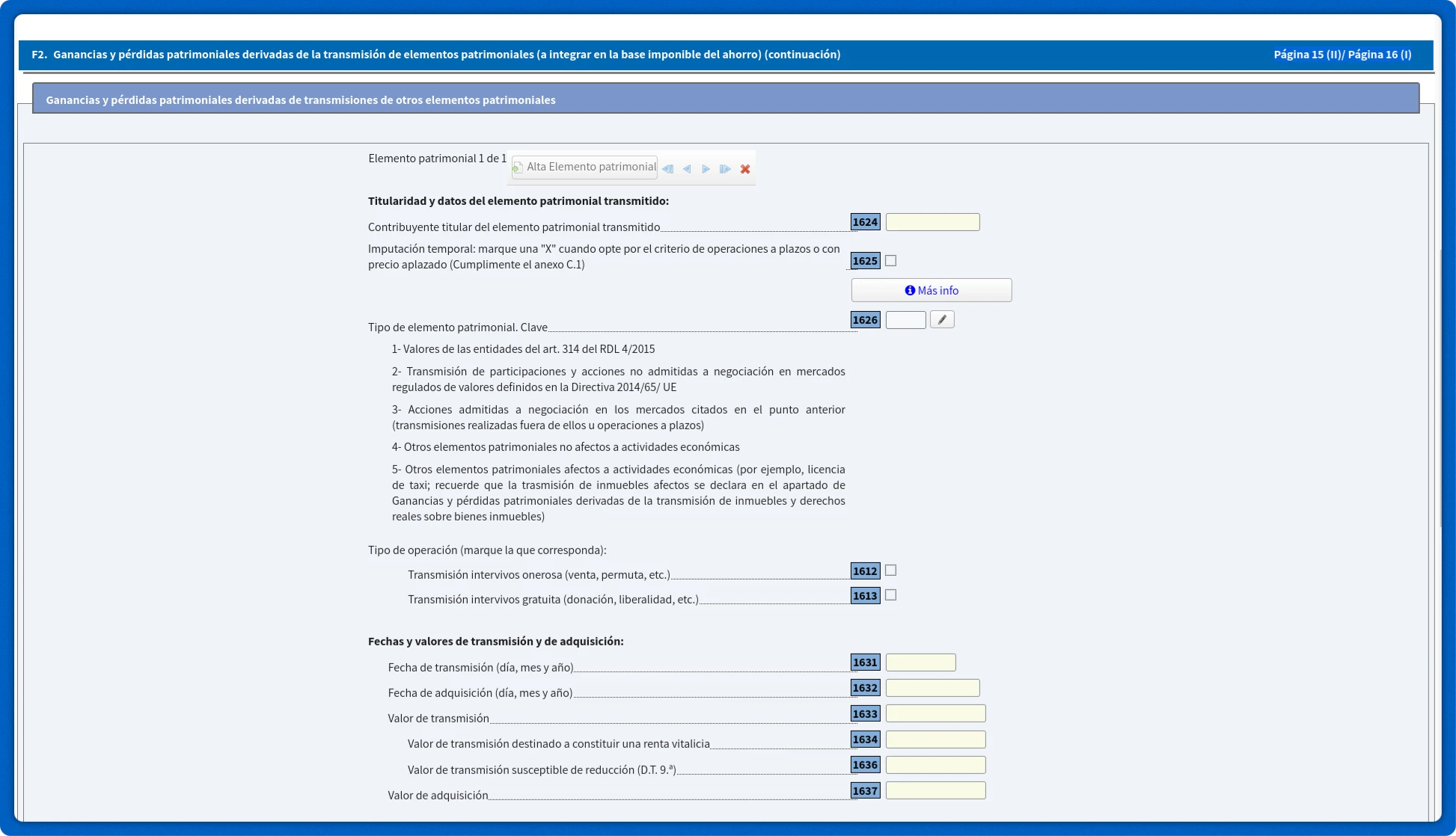
Click on the pencil icon next to the cell [1626]. Asset type Tipo de elemento patrimonial. Clave
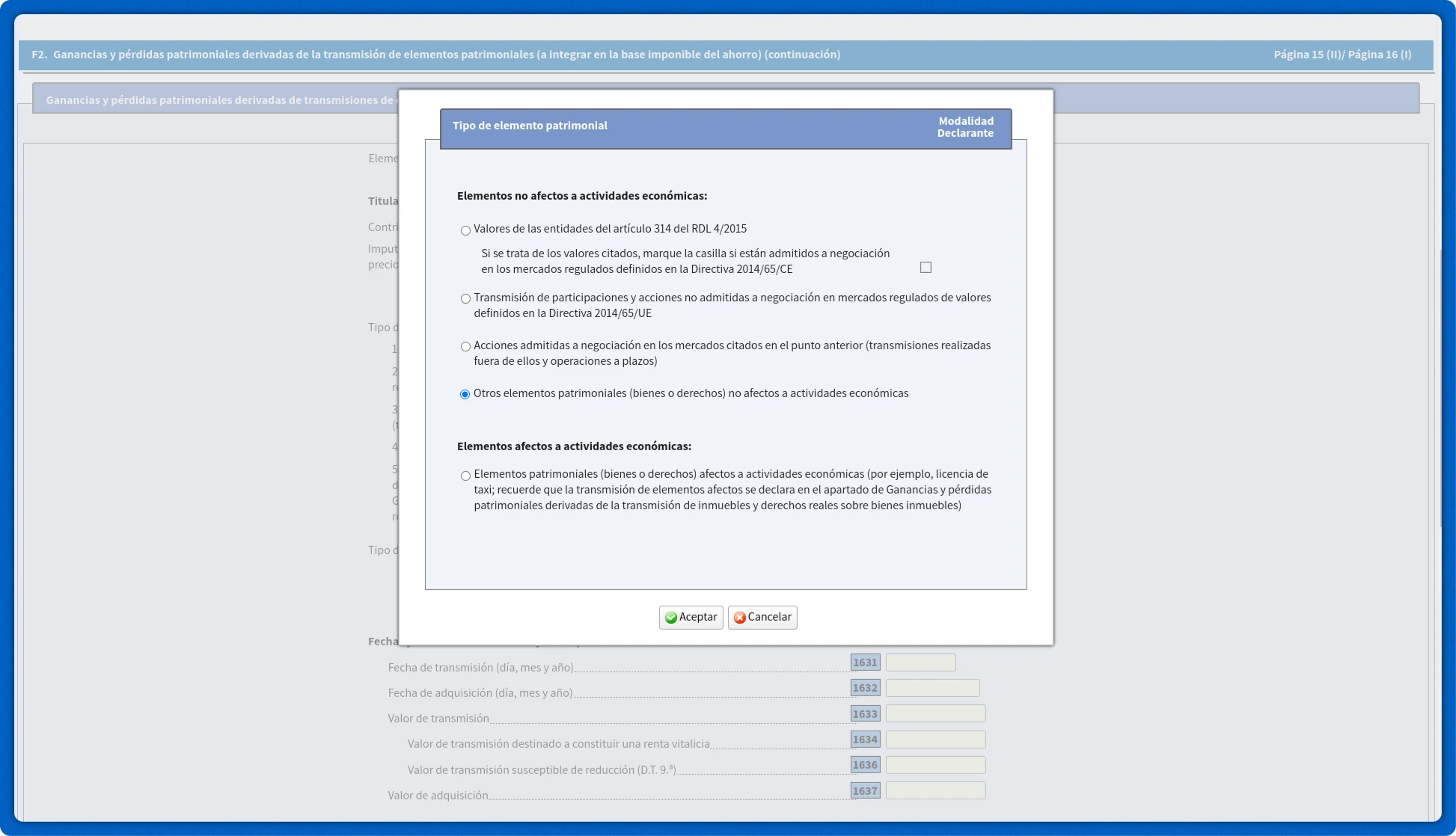
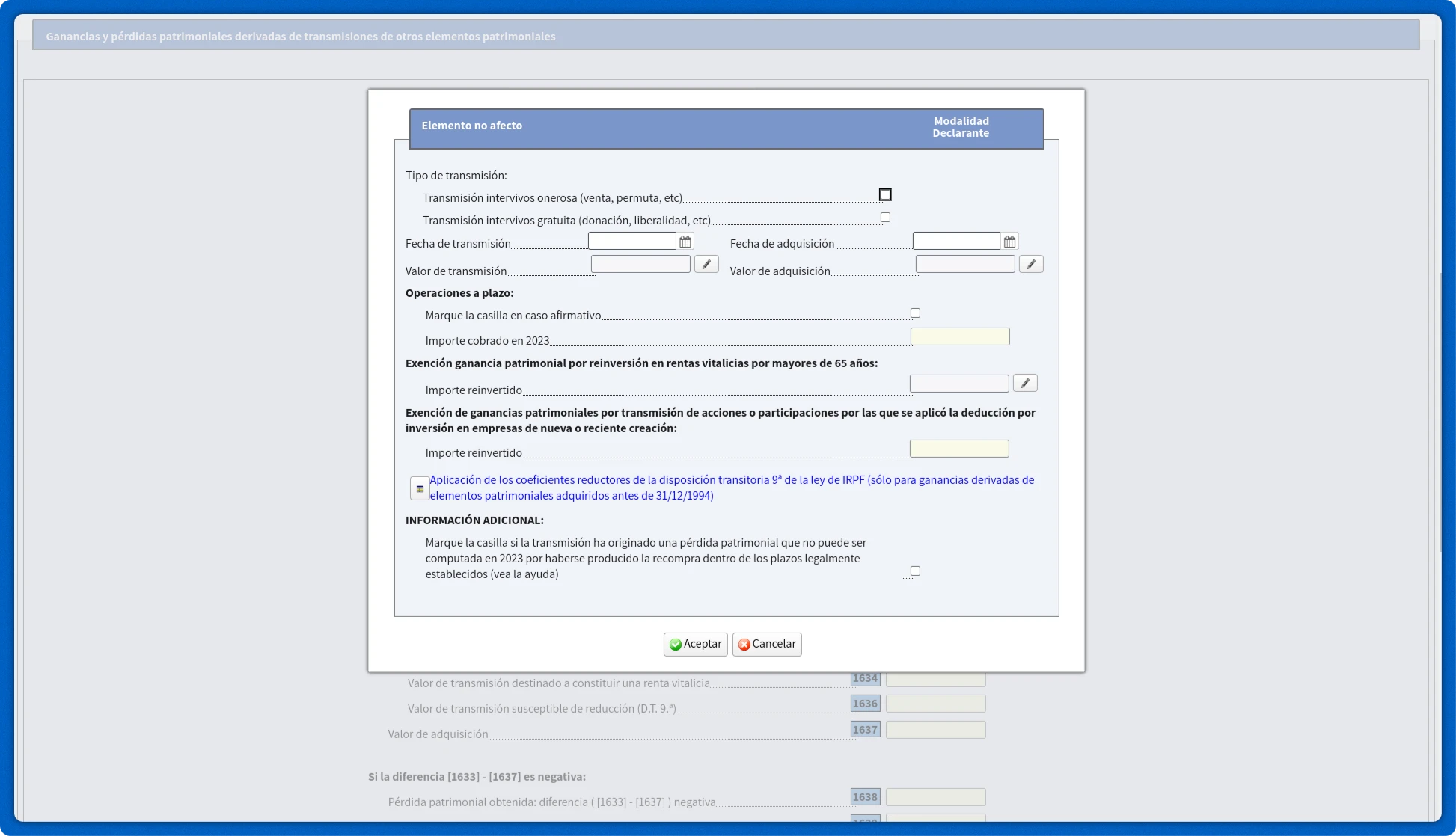
In the pop-up window Tipo de elemento patrimonial select: Other assets not affected by economic activity – Otros elementos patrimoniales (bienes o derechos) no afectos a actividades económicas.
Next, click on the pencil icon next to the cell [1631].
Mark Transmisión intervivos onerosa (venta, permuta, etc).
7. Dividends
7.1 Dividends on which tax has been withheld in Spain (cell [0029])
Go to the page 7 / 54
B. Rendimientos del capital mobiliario
Rendimientos del capital mobiliario a integrar en la base imponible del ahorro
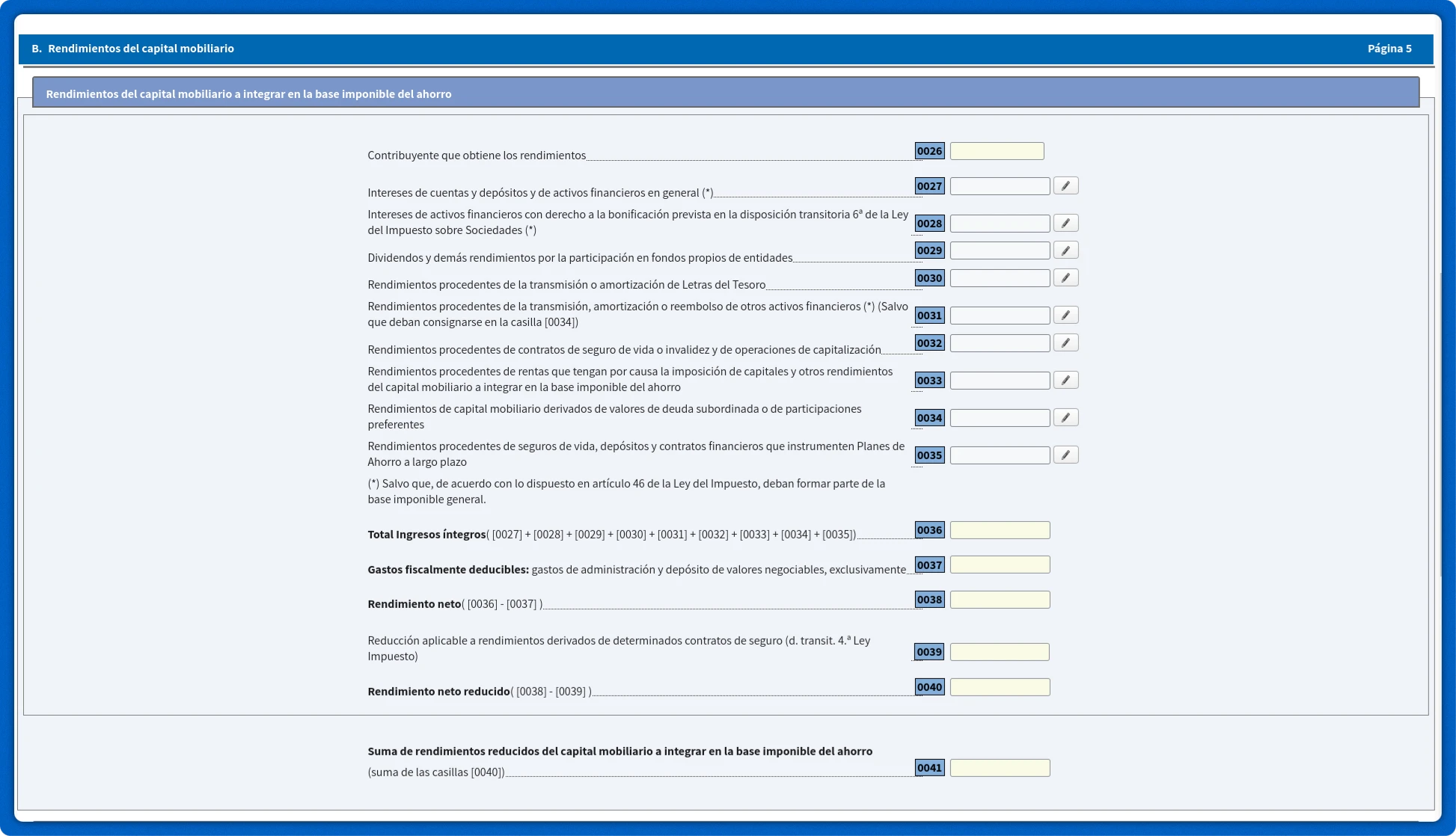
Click on the pencil icon next to the cell [0029].
Dividends and other income from ownership of assets – Dividendos y demás rendimientos por la participación en fondos propios de entidades.
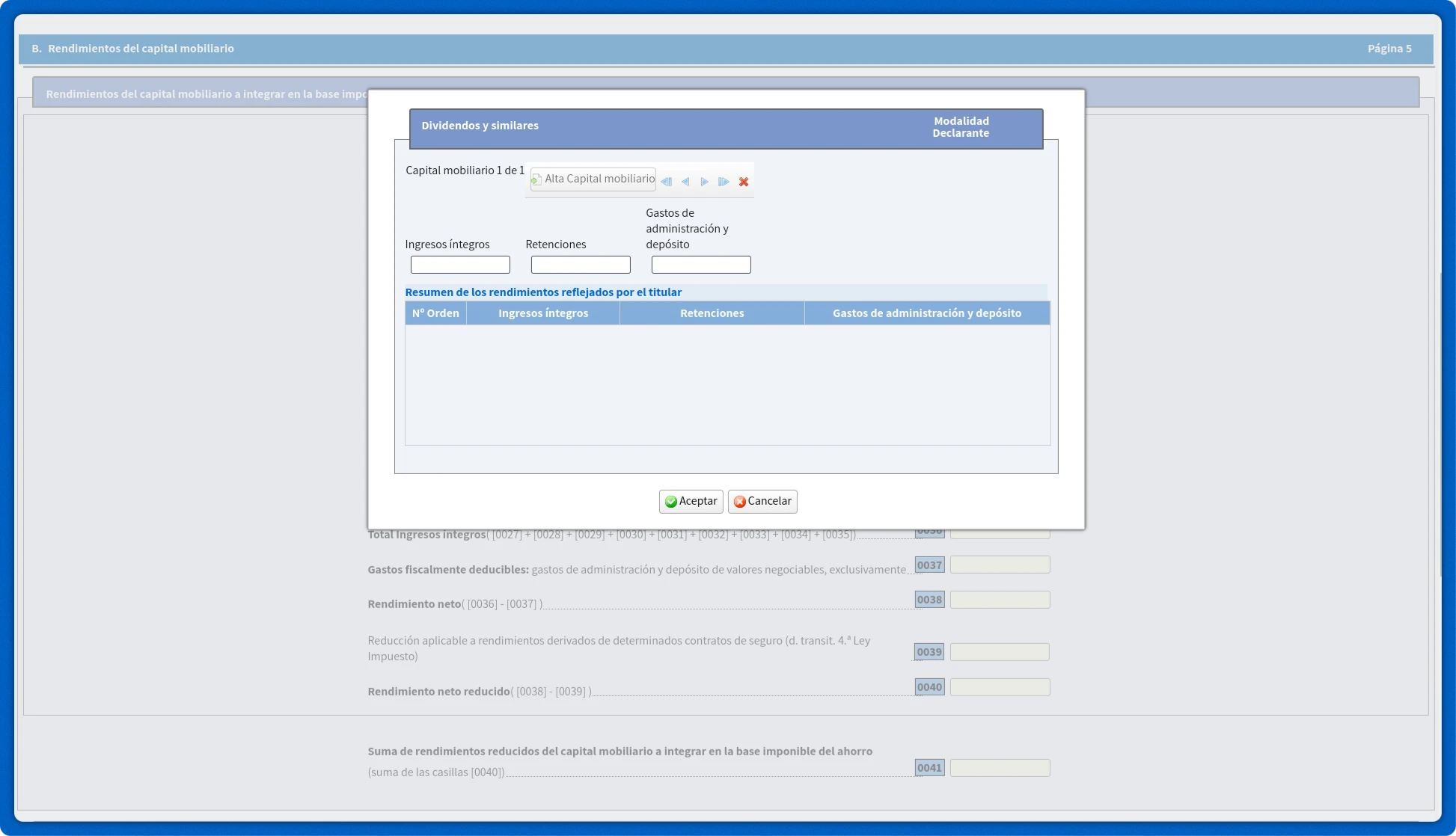
Fill in the following fields:
- Total income – Ingresos íntegros.
- Retentions – Retenciones.
- Administrative and deposit fees - Gastos de administración y depósito. It can include other brokerage account expenses, such as custodial fees.
7.2 Dividends subject to international double taxation (cell [0588])
Go to the page 34 / 54
M. Cálculo del impuesto y resultado de la declaración
Cuota resultante de la autoliquidación
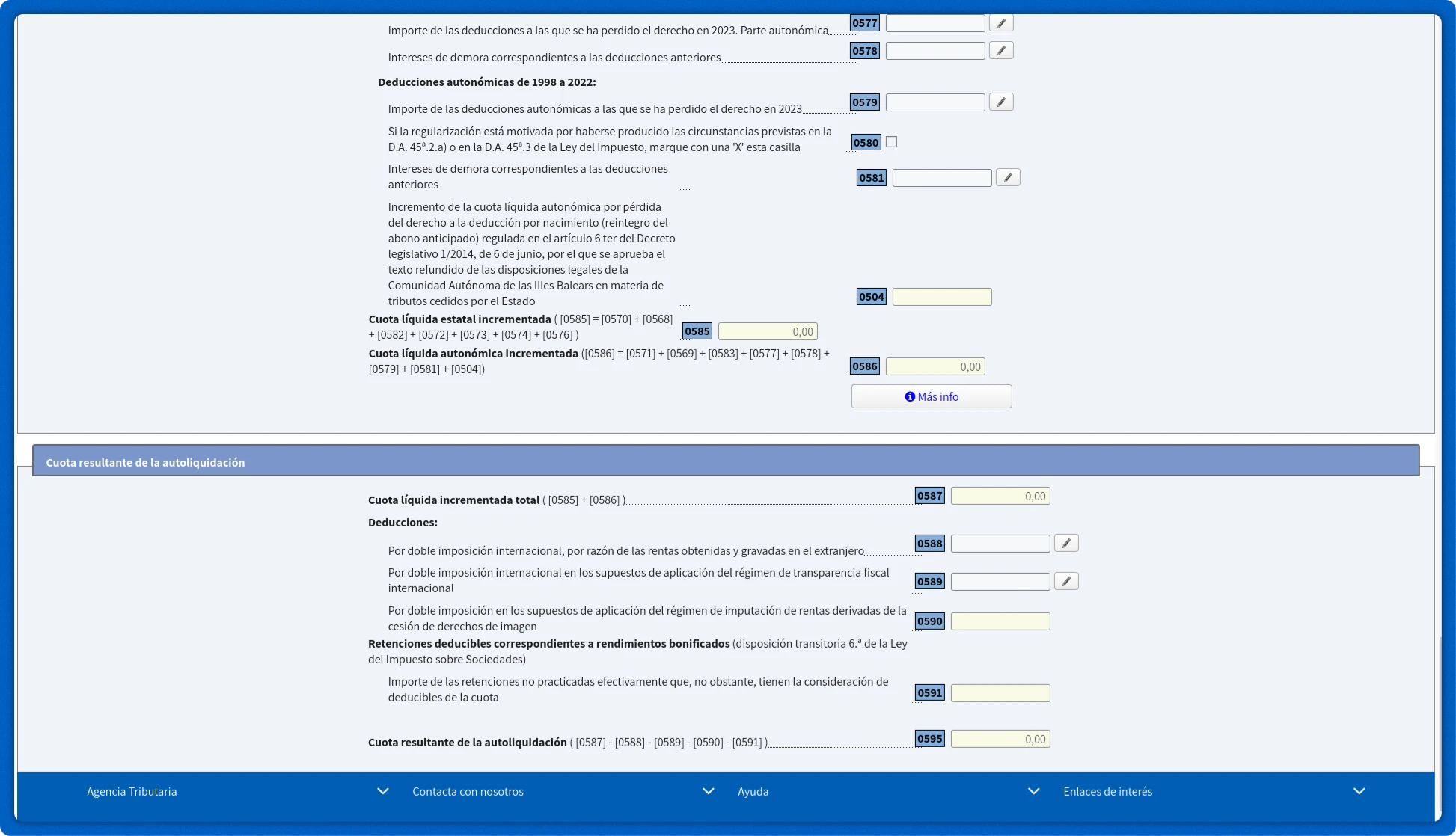
Click on the pencil icon next to the cell [0588]
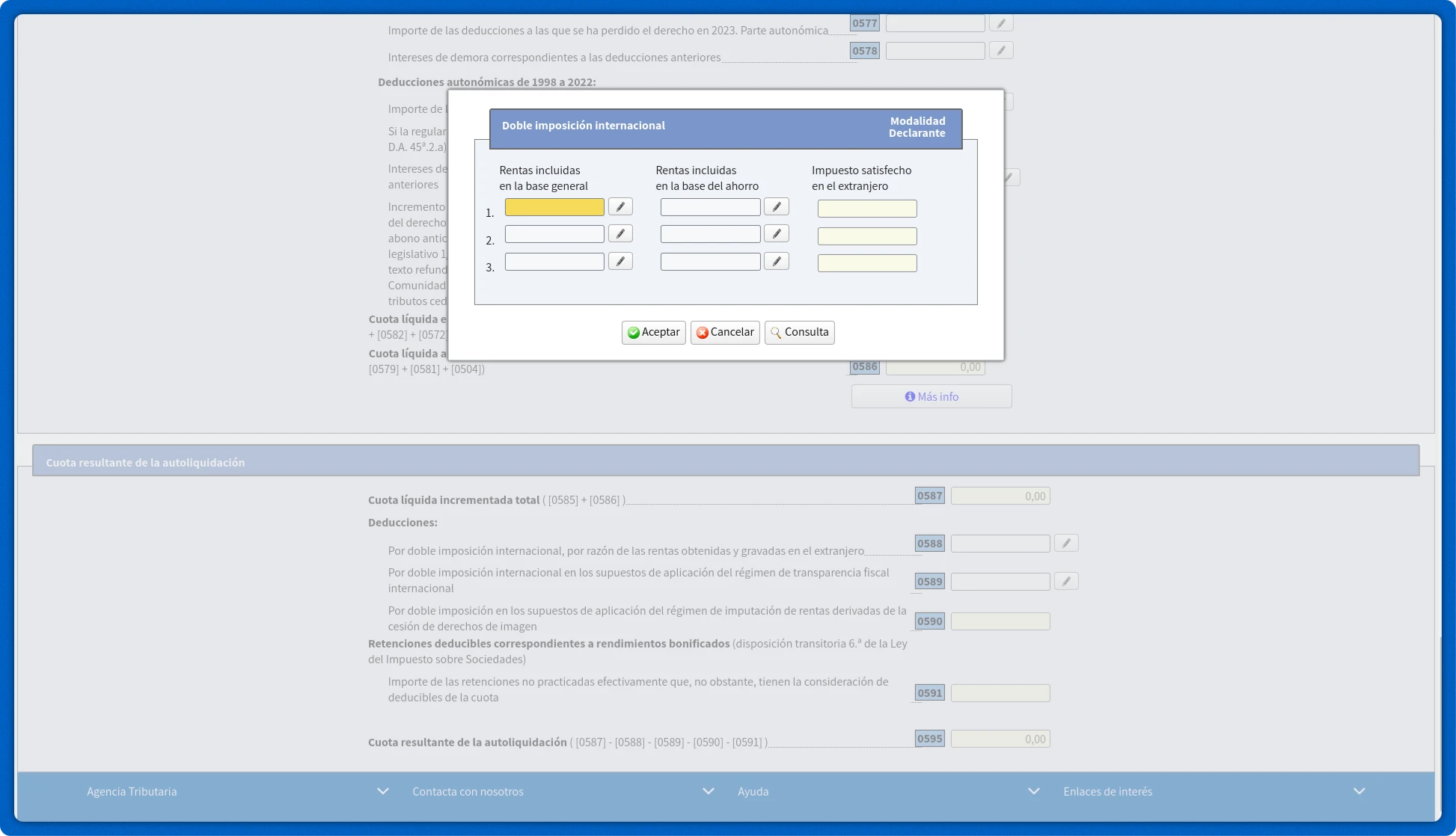
Next, click on the pencil icon next to the Income included in the tax base on savings field – Rentas incluidas en la base del ahorro.
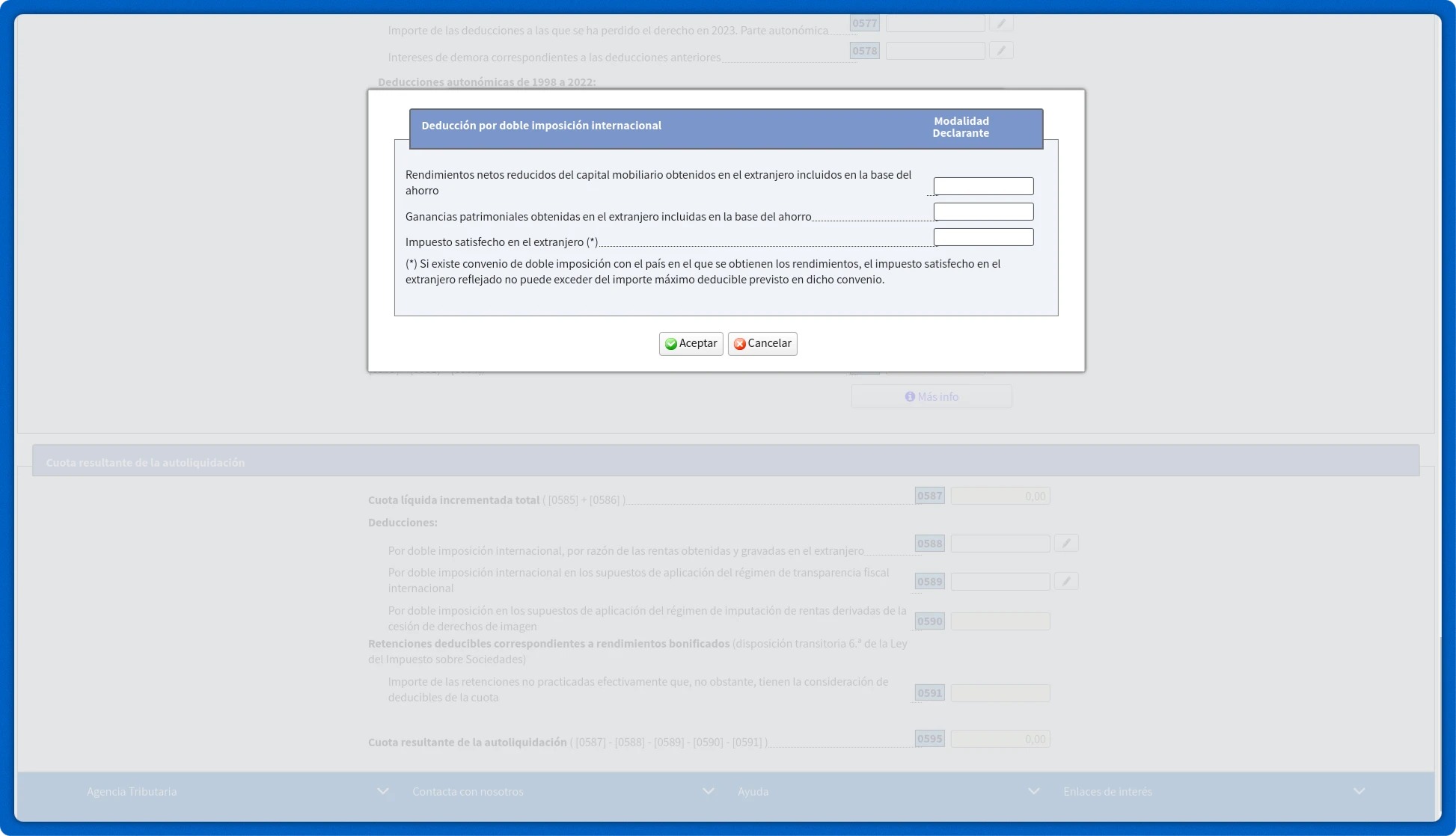
Fill in the following fields:
- Reduced net income from movable capital earned abroad included in the tax base for savings tax – Rendimientos netos reducidos del capital mobiliario obtenidos en el extranjero incluidos en la base del ahorro.
- Tax paid abroad (*) - Impuesto satisfecho en el extranjero (*).
8. Submitting the declaration
Fill in other income and expenses and click Submit return - Presentar declaración.