
1. Go to the website exante.eu and click on the “Log in” button to access your account.
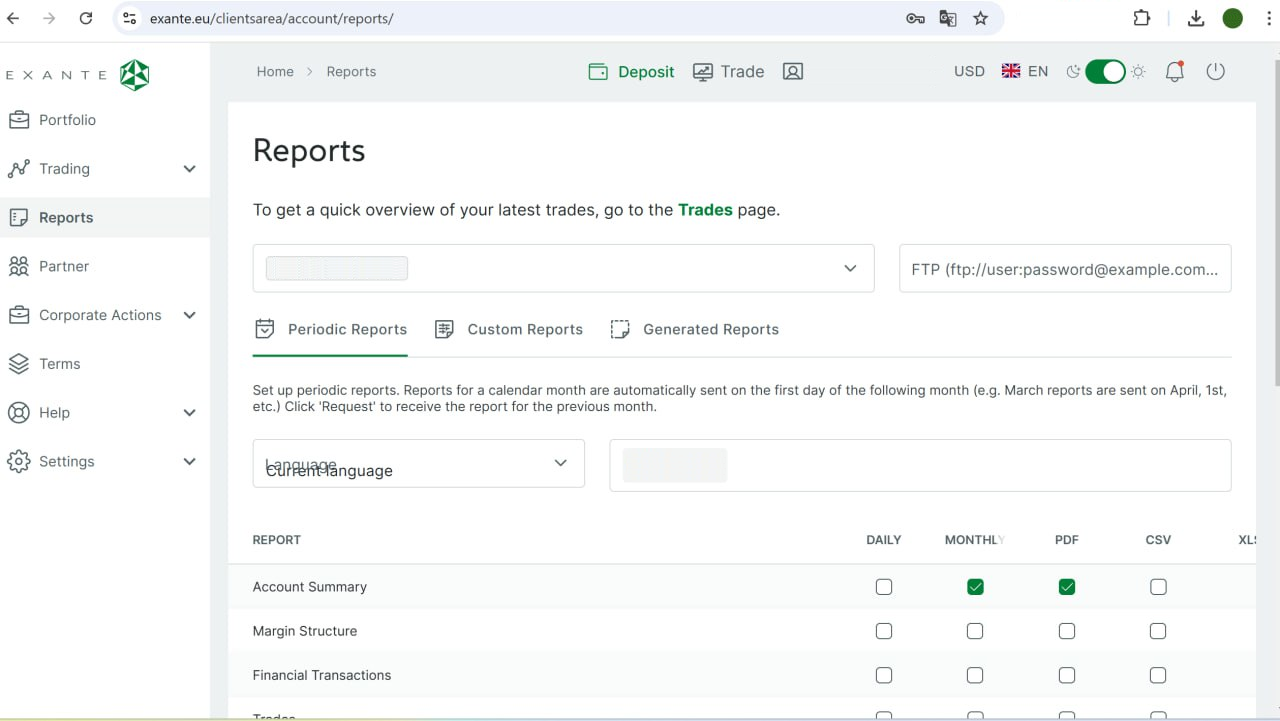
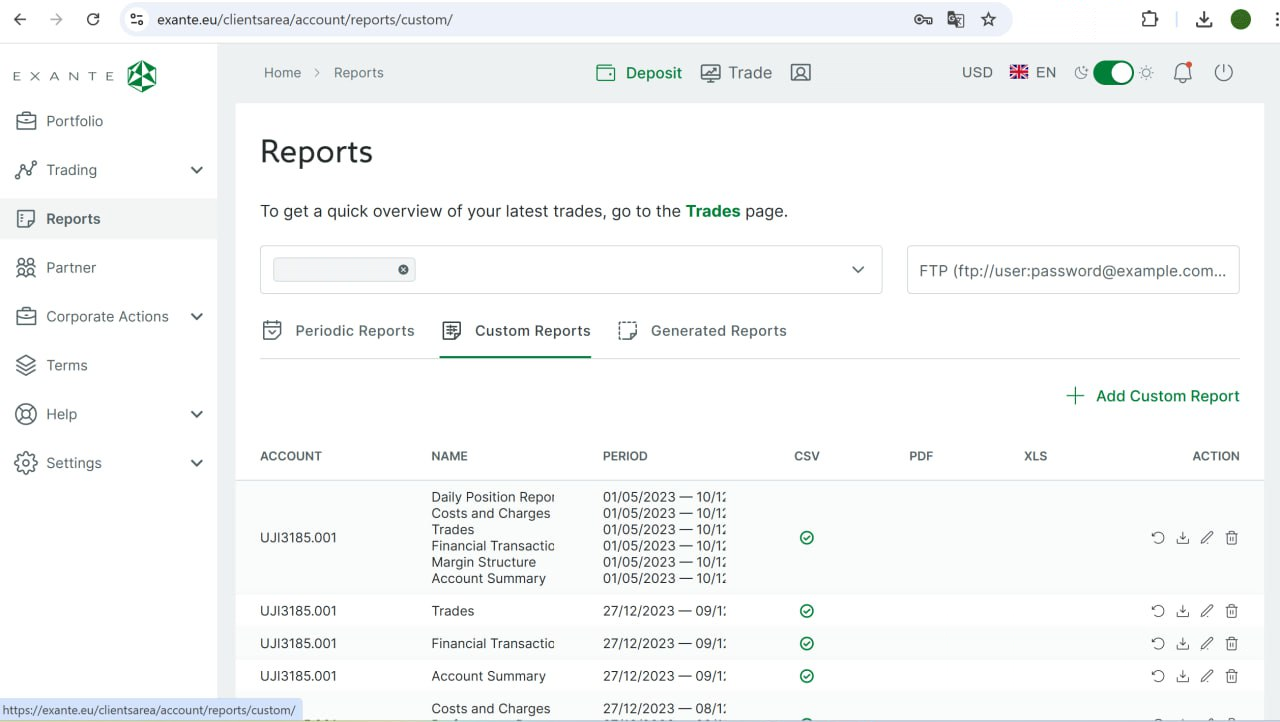
2. Select a section «Reports» in the menu on the left. After opening the «Reports» section, select the «Custom Reports», tab and click «Add Custom Report».
3. Select CSV format as the export type.
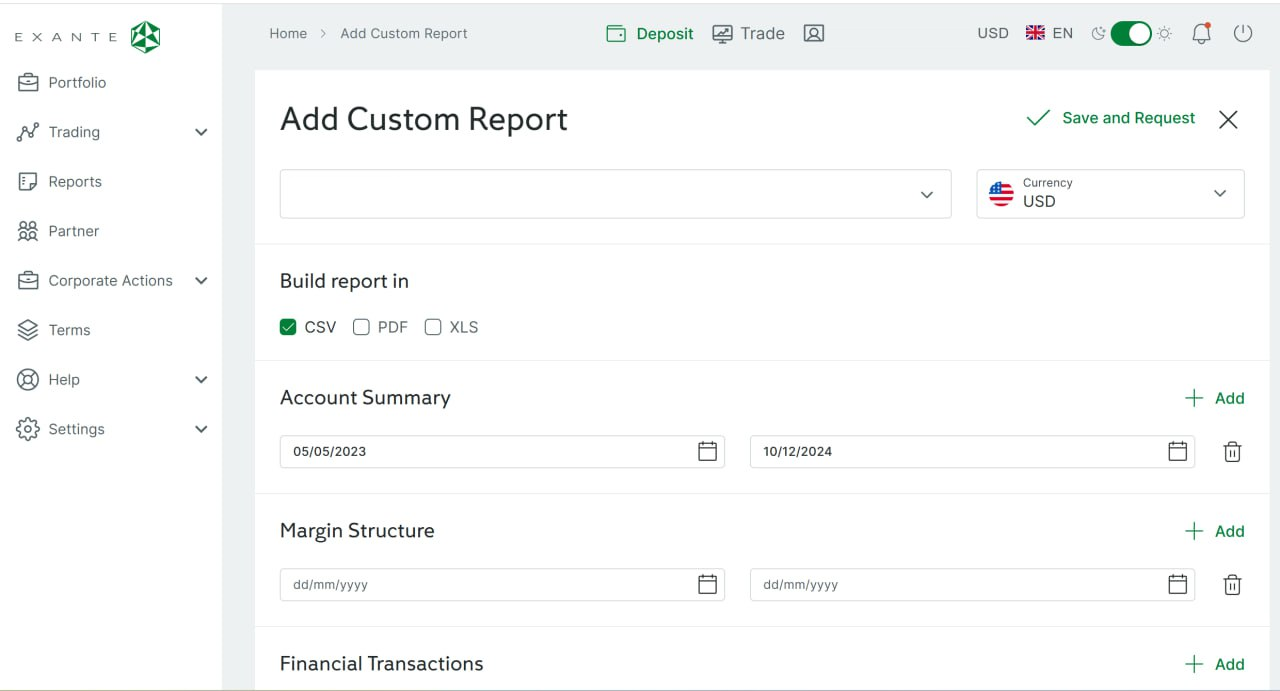
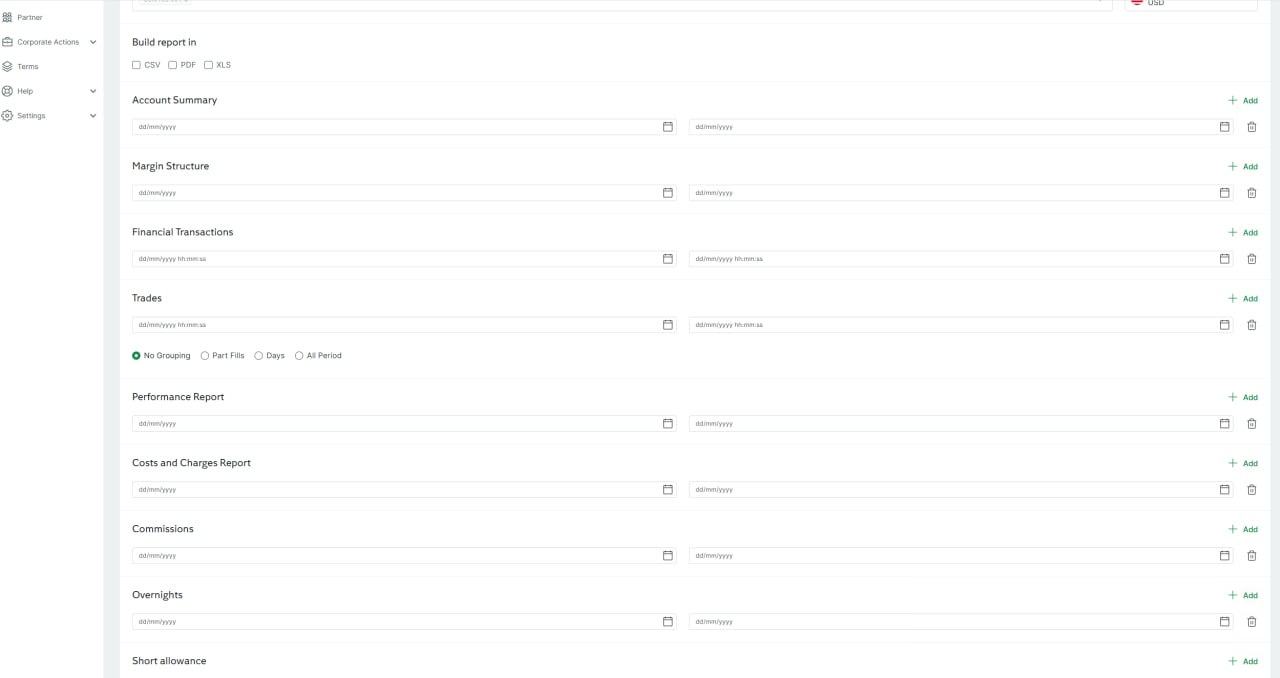
4. Add the following sections:
- Daily Position Report
- Costs and Charges Report
- Trades
- Financial Transactions
- Margin Structure
- Account Summary
5. Select the date range in which transactions will be displayed.
6. Download the report you received.